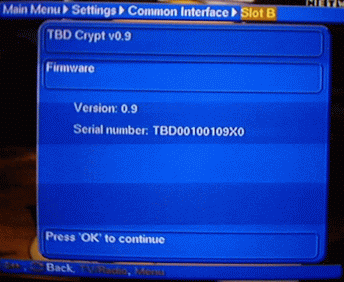
Check from your satellite receiver
Common Interface menu the current firmware version
Download the upgrade Pack and the
version you want
Unzip all files into a directory of you
choice (e.g. C:\CAM)
If you run Win 95, Win95 OSR2, WinMe or WinXP it won't work!!!!!
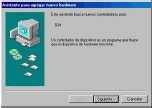
Installation of driver PCMCIA (only for the method Laptop) In this section is the process of installation of the Universal CAM in Win98. In WinNT & 2k process is similar, unless the user must have administrator permissions. Proportionate driver is compatible with Win98, NT and 2k. Once detected the Universal CAM the system will take the assistant to add new hardware
Shut Down
Laptop
Restarting Laptop (WITH THE CAM ON THE
PCMCIA SLOT)
When it asks you for a driver directory
point to unzip directory (e.g. C:\CAM)
To
click Following in [ ]
To leave
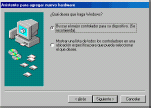
selected to the option "the best controller for its device" and
To click Following in [ ]
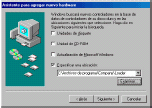
In the window of location of driver, to make sure that the option is only
activated a location (e.g. C:\CAM)
and to click in Examining to select the folder in which is driver. For it, in
the exploration window that will appear, to select to the folder in which
previously was installed the application
To click in [ ]
To click Following in [ ]
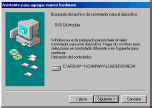
The assistant identifies
the new device like DVB CA Module
To click Following in [ ]
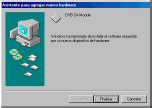
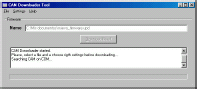
Install Loader Ver. 1.0.exe
The program Loader Ver. 1.0.exe can be in Start -> Programs -> Loader ->
Loader. Shows the window of Loader. The program Loader supports so much the unloading by port series like by
Laptop
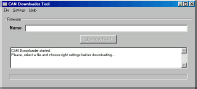
The program Loader has three menus:
- It cases out: It allows to select the file with the new software
- Settings: It allows to select the unloading method and to form the required
parameters
- Help: Menu of aid. In the Name field, one indicates the location of the file
that is going to be unloaded and the button
[ Download now ] the unloading
process begins. The program Loader shows the messages of
information in the central window, whereas in the part down is the bar of
progress of the unloading. In Annexed the 1 one is the list of messages and
its meaning. By defect, the program Loader is formed for the unloading by port
series, in COM 1, at a speed of 9600bps
Unloading by port series - To select the File -> Select menu. It will appear
the window of selection of the update file
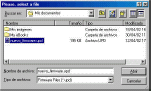
To
select the folder in which one is stored the file with the new software (with
extension "upd") and to click in [ ]
- To select to the port series of the computer to which series by means of the
menu Settings -> Serial -> COM1 or COM2 has been connected the cable
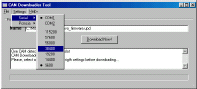
To
select to the speed of the port series in menu Settings -> Serial -> 9600. In
case that the unloading is not made successfully, to prove with other speeds
- To click in [ Download Now ] in order to begin the unloading. The program
Loader Ver. 1.0.exe looks for the UCAM in the port selected series and, if it
finds it, next begins the unloading